
Debugging
Sometimes you need to see what the world actually contains right now: which archetypes exist, how many entities are in each, what a specific entity’s components hold, and what’s changed recently. Wyrd.Ecs.Debug gives you a live browser UI for that.
Launch the debug UI
Section titled “Launch the debug UI”Reference Wyrd.Ecs.Debug, then start it against your World:
using var server = world.WithDebugServer();This binds an in-process HTTP server to 127.0.0.1 only and serves the UI at http://127.0.0.1:5299. Pass a port to use a different one:
using var server = world.WithDebugServer(port: 5300);Dispose the server before the World it’s attached to is torn down.
For a caller that wants to control exactly when the server starts, CreateDebugServer builds one without calling Start():
var server = world.CreateDebugServer();// ...server.Start();Both build their own CodecRegistry from every component and tag in your project, the same registry Persistence’s generated AddJsonPersistence builds. For a specific registry instead, construct a DebugServer directly:
var registry = new CodecRegistry();// ... register only what you want visibleusing var server = world.WithDebugServer(registry);The panels
Section titled “The panels”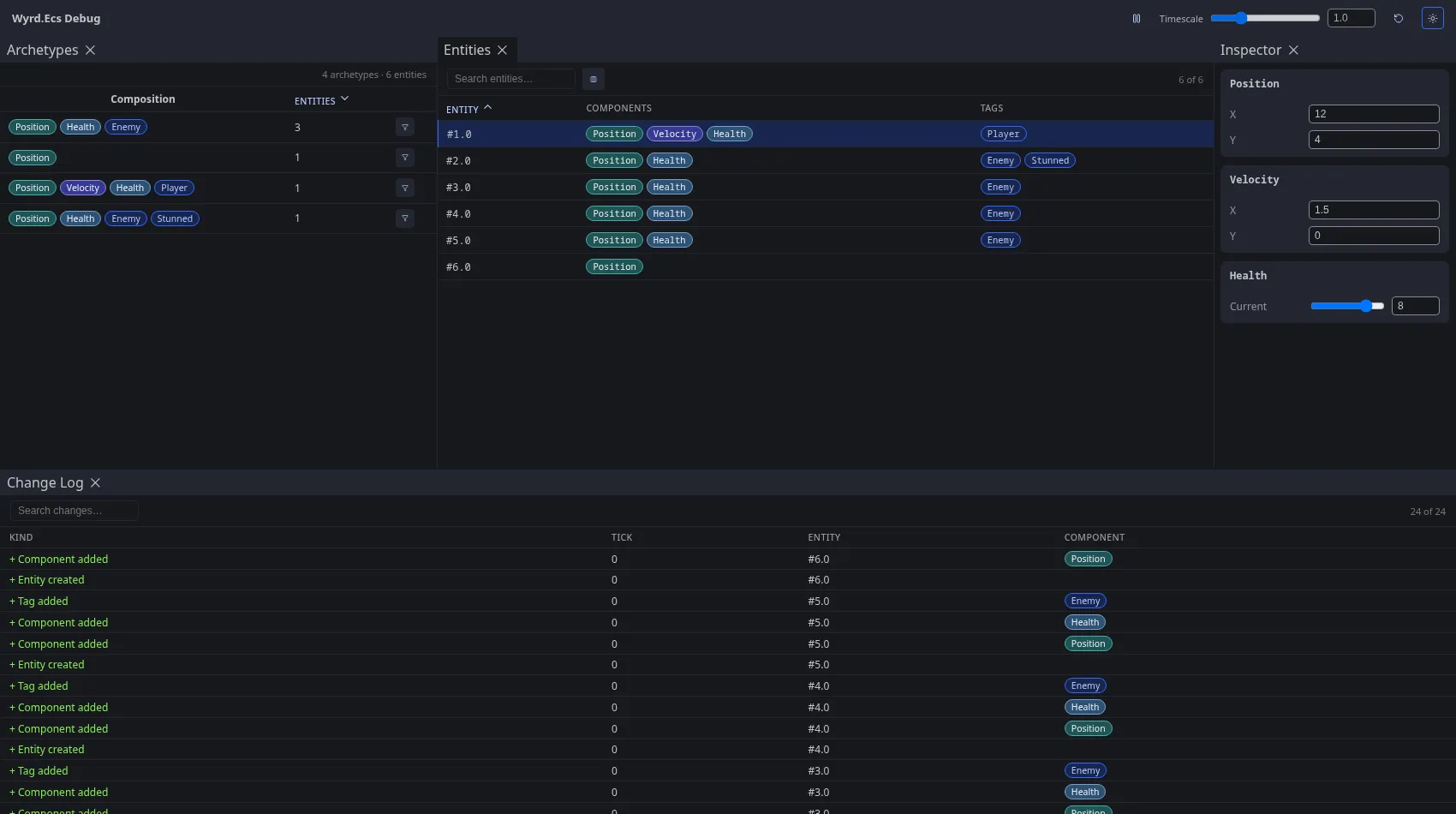
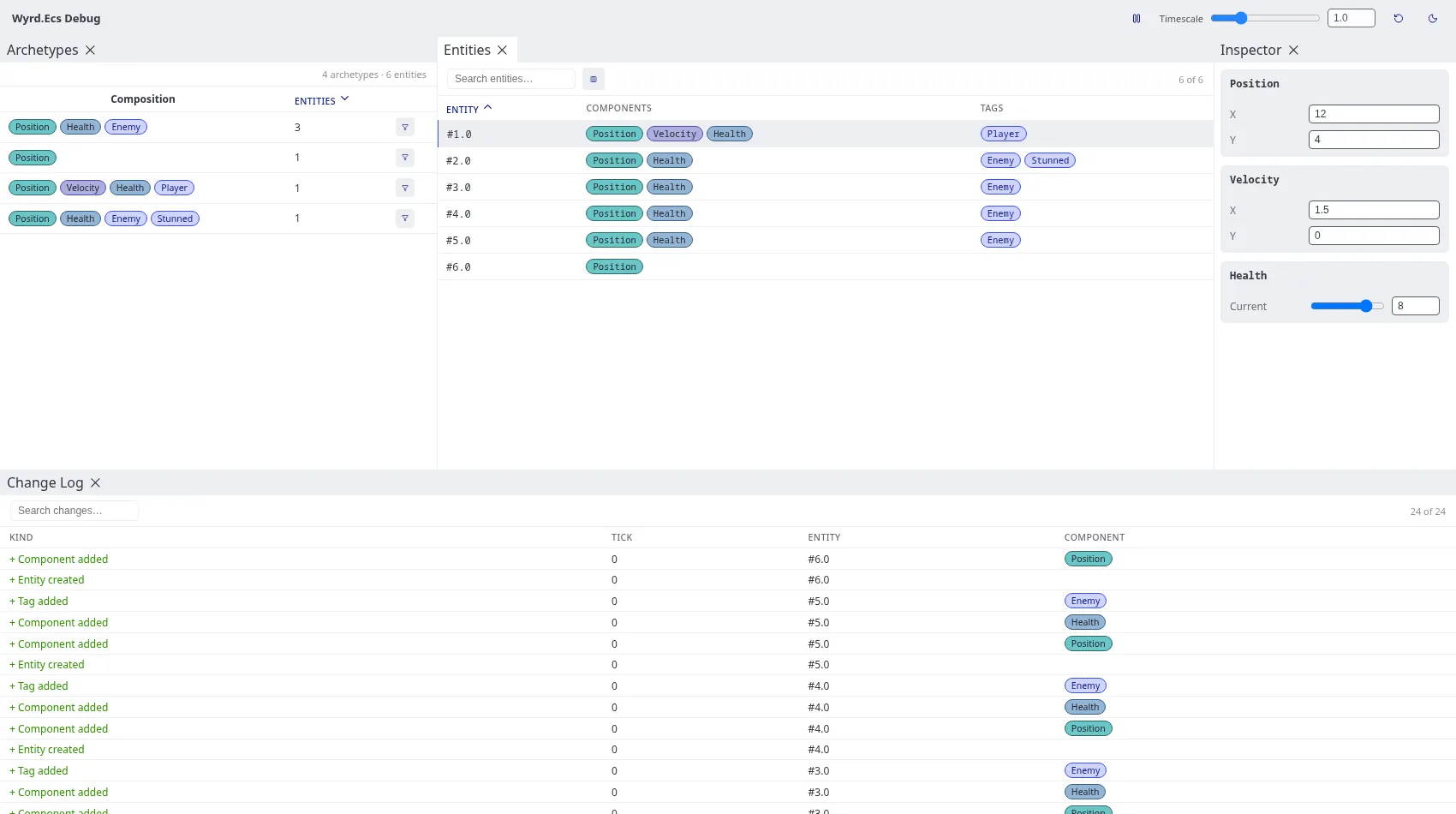
The default layout docks four panels together, drag a tab to rearrange them. The arrangement saves to localStorage and restores on reload, the header’s reset-layout button (circular arrow) puts it back. The sun/moon button next to it switches the UI’s own theme, independent of your OS setting. Pause/resume and the timescale slider control the World’s own playback, the same one Timestep, Pause & Timescale controls from code.
Archetype Filter
Section titled “Archetype Filter”One row per archetype with at least one live entity: its component/tag composition and entity count, sortable by count. The funnel icon on a row filters the Entity Browser down to just that archetype, click it again to remove the filter.
Entity Browser
Section titled “Entity Browser”One row per live entity. Search narrows by entity ID, component name, or tag name; the columns icon toggles the Components/Tags columns off. Clicking a row selects that entity, which drives the Entity Inspector and highlights it in the Change Log.
Entity Inspector
Section titled “Entity Inspector”One card per component on the selected entity. A component marked [DebugRenderer] gets typed fields, sliders, numbers, text, checkboxes, read-only values, nested groups, drawn by the renderer it names; anything else falls back to a raw JSON field per property. Editing a field posts the change straight back to the live World.
Change Log
Section titled “Change Log”A running list of structural changes: entities created/destroyed, components added/removed, tags added/removed, each with the tick it happened on. Search narrows by entity, kind, or component name; clicking a row selects that entity the same way an Entity Browser row does.
Programmatic inspection
Section titled “Programmatic inspection”The debug UI itself is built on World.EnumerateArchetypes/EnumerateEntities, a live snapshot published once per tick. Call them directly to build your own tooling on the same data, a custom CLI dumper, an in-game overlay, anything the shipped panels don’t cover.
foreach (var archetype in world.EnumerateArchetypes()){ Console.WriteLine($"{archetype.EntityCount} entities: {string.Join(", ", archetype.ComponentDiscriminators)} {string.Join(", ", archetype.TagDiscriminators)}");}One entry per archetype with at least one live entity: its count, and the debug name of every component and tag type on it.
foreach (var entity in world.EnumerateEntities()){ foreach (var component in entity.Components) Console.WriteLine($"{entity.Entity}: {component.Discriminator}");}One entry per live entity, by name only, no byte payloads.
For a component’s actual encoded bytes too, not just its name, pass a CodecRegistry with the types you care about registered, the same object Persistence uses for real save/load:
foreach (var entity in world.EnumerateEntities(registry)){ foreach (var component in entity.Components) Console.WriteLine($"{entity.Entity}: {component.Discriminator} = {component.Data.Length} bytes");}A component with no registered codec still appears, by name, with an empty Data array. Each component comes back as an EncodedComponent, the same encoded form persistence writes to disk, decode it with whatever codec registered it.
For persisting that same state to disk instead of just inspecting it, see Persistence.